Response procedures
Step by step through the event, with decision paths and mandatory entries that suit the organisation.
01 Simply explained
WinGuard is an open integration platform from Advancis. It connects security, building, communication and IT systems with a common operator interface and guides the handling of events.Technical terms: security management system, internationally PSIM (Physical Security Information Management).
Many technical systems can generate messages. In operation, however, another question matters: what does this message mean here, and what needs to be done now?
WinGuard links event, location and the right information into a common operating context. The systems keep their tasks. During project planning, we define which systems, data and actions are needed.
Suitable interfaces connect different systems and manufacturers.
Information and prepared steps support event handling.
Data points, workstations and sites are sized to match the requirements.
Messages and operator actions are logged in the system.
WinGuard does not replace your systems. It turns many messages into one clear picture.
02 Integration
What happens between a door contact and your screen? Scroll with a message through every stage, and back with a command.
Subsystems
Video, access control, fire, intrusion, intercom, perimeter, building automation, communication, IT, incident management and analytics. We check every combination of system, version and required functions.
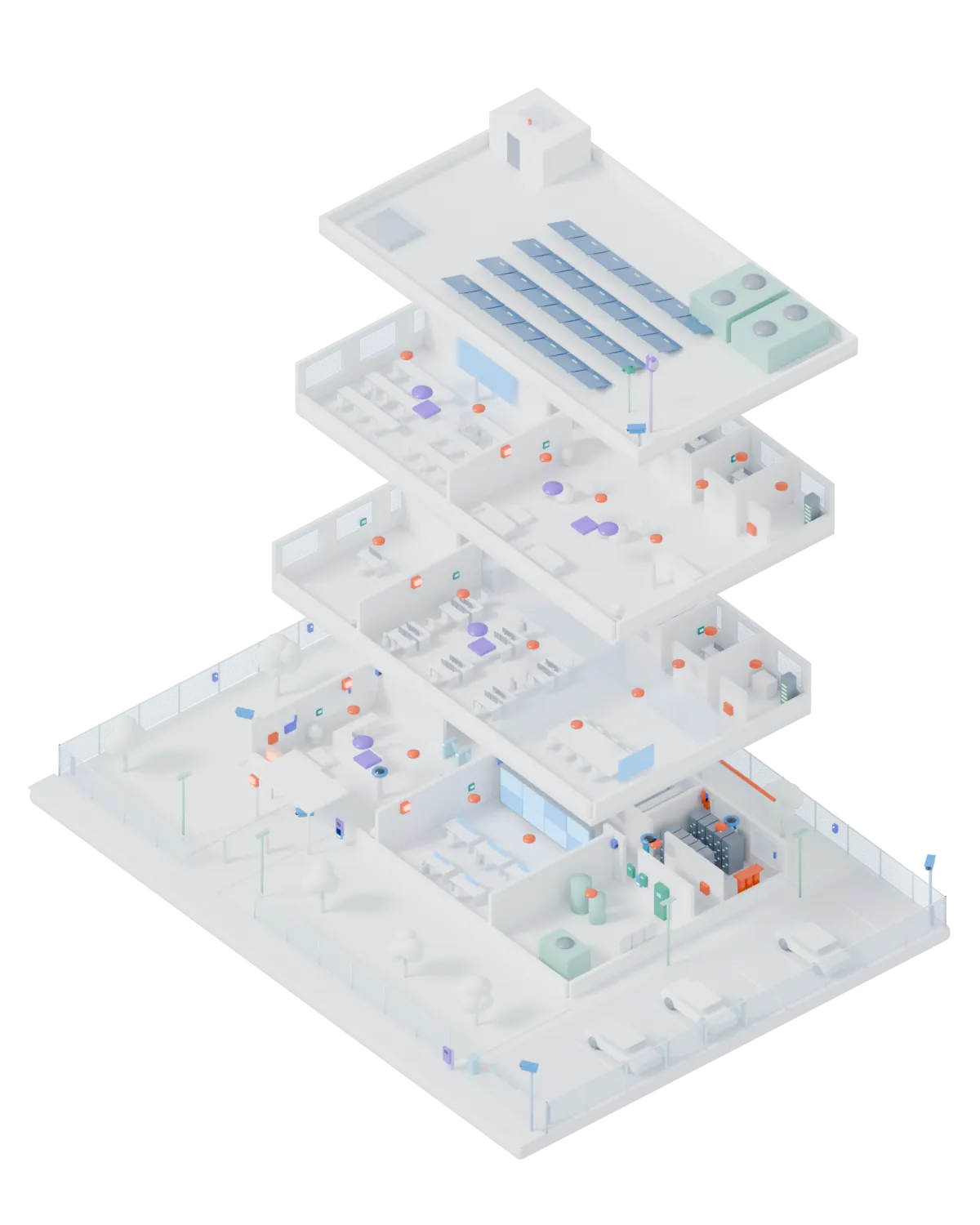
Fictitious building, original 3D rendering by E&S Rose. For better visibility, the devices are enlarged and shown in the colour of their subsystem. What can be connected depends on manufacturer, version and interface.
03 Guided Operation
When several messages arrive at once, chance does not decide what is handled first. Scroll through a shift with four events.
Guided operation
The right information and prepared steps are ready for each event. Which steps are needed and which actions may be triggered is defined in the project.
Step by step through the event, with decision paths and mandatory entries that suit the organisation.
Up to five graphics can be stored per data point, such as overview, floor and detail. The event opens where it happens.
Rules determine which workstation receives which event. For example at the site during the day and at headquarters at night.
Header, details, log, operator commands and graphics in one consistent document, created manually or automatically.
The operator confirms their presence within defined time windows. If the confirmation does not come, an alarm is raised.
Messages, state changes and operator actions are recorded with a time stamp in the system log and remain traceable.
04 Architecture & availability
Four layers, from the systems to the workstation. Keep scrolling until server A fails, and see who takes over.
05 Editions & licensing
Four editions, one platform. Scroll on: the system grows from a single workstation to several sites.
| ExpressEntry level | BasicSeveral workstations | ProfessionalHigh availability | EnterpriseDistributed sites | |
|---|---|---|---|---|
| Data point units | up to 3,000 | up to 5,000 | up to 25,000 | unlimited |
| Connections (existing drivers) | up to 3 | up to 5 | up to 15 | unlimited |
| Additional workstations | – | up to 5 | up to 15 | unlimited |
| Interface server | – | – | up to 5 | unlimited |
| Hot Standby | – | – | up to 2 | up to 2 |
| Location server, System Manager, OPC Server, GIS, segmentation | – | – | – | ✓ |
| Webclient, Multi-Monitor, Scheduler, User Management plus | – | ✓ | ✓ | ✓ |
| VideoDisplay, CAD Support plus, SQL-Export, ODBC | – | – | ✓ | ✓ |
| CAD Support, Mobile App | ✓ | ✓ | ✓ | ✓ |
✓ = available, included or as an option. Key figures according to the licence model in the WinGuard X5 manual, as of 03/2023, subject to change. The current information from Advancis and our quotation are binding.
Data point units
WinGuard is licensed by data point units (DPU). Each data point counts according to its highest-weighted function: camera 8, door 4, analogue value 2, everything else 1. Pure structural points without a link do not count.
WinGuard by Advancis is an open integration platform. It connects security, building, communication and IT systems with a common operator interface and supports the structured handling of events.
No. WinGuard is planned as a higher-level integration and operating layer. The systems keep their own tasks. We check for every connection which operating and control functions are available via WinGuard.
To answer that, we check manufacturer, system type, version, existing interface driver and required functions. The existence of a driver alone does not yet confirm every function you want.
Guided operation means that the right information and prepared handling steps are ready for each event. Which steps are necessary and which actions may be triggered is defined in the project.
The basis is the edition and the data point units. A camera counts 8 units, a door 4, an analogue value 2 and all other functions 1. Workstations, connections and optional modules come on top. We calculate this before the quotation.
Yes. WinGuard supports Hot Standby servers and, in the Enterprise edition, location servers. Whether and how they are used depends on edition, availability requirements, network and operating processes.
Yes. We discuss the existing version, documentation, interfaces and current challenges. From this we develop an approach for analysis, maintenance, extension or migration.
The next step
A new integration, a version change or an existing system: we start from your specific situation.